Native-Style Ads at Display Scale: How Native Builder Simplifies Campaign Launches for Advertisers
Launching digital campaigns across a large network of websites and apps has never been simple. Every publisher has its own layout. Every app has its own screen environment. Every ad placement comes with different dimensions, available inventory, fill rates, and performance patterns. For advertisers, this creates a familiar operational problem: the more inventory they want to access, the more creative versions they need to produce, adapt, test, and optimize.
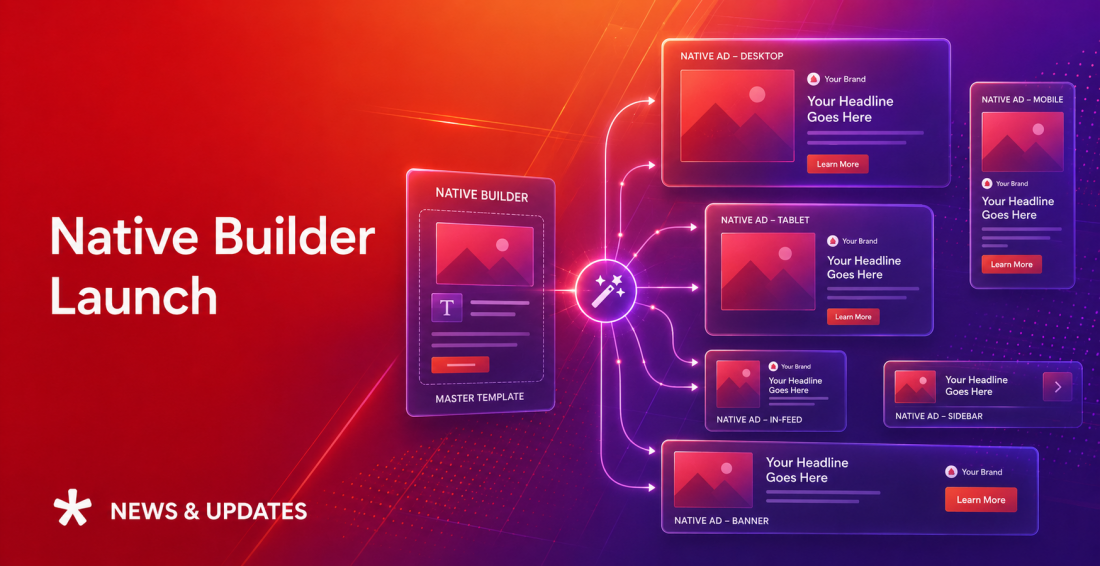
Native Builder was created to solve this problem. It allows advertisers to build native-style ads using one set of assets and deliver them across standard display inventory. Instead of creating separate banners for every placement size, advertisers can upload one image, GIF, or video, add a logo and ad copy, and let the platform automatically adapt the creative to selected display sizes.
- The Problem: Creative Fragmentation Slows Campaigns Down
- Create Once, Deliver Everywhere
- Native Look, Display Scale
- Faster Launches and Lower Production Costs
- Built-In Fit and Fill Modes for Better Creative Rendering
- Live Preview Gives Advertisers More Control Before Launch
- Video Campaigns With VAST Tracking
- Post-Launch Optimization With Size Blocking
- Where Native Builder Creates the Most Value
- E-Commerce and Retail Campaigns
- Product Launches
- Video Awareness Campaigns
- Native Builder for Agency Campaign Management
- Best Practices for Advertisers
- Ready to launch? Simple step-by-step workflow
The Problem: Creative Fragmentation Slows Campaigns Down
For advertisers, campaign performance is not only about audience, bid strategy, or media cost. Creative execution also plays a major role. When campaigns run across many websites and apps, advertisers face several recurring challenges.
First, standard display inventory is highly fragmented by size. A campaign may need to support 300×250, 728×90, 970×250, 320×50, 300×600, and another set of sizes for in-app environment. Producing separate creatives for each size increases design workload and slows launch timelines.
Second, native inventory often has limited reach. Native formats can deliver a cleaner user experience and stronger engagement, but dedicated native placements are not always available at the scale advertisers need.
Third, not every size performs equally. Some placements may generate high impression volume but weak click-through rates, poor video completion, or no conversions. Without size-level control, advertisers may continue spending budget on formats that do not contribute to campaign goals.
Finally, video activation across display environments can be difficult. Many advertisers already have short promotional videos, product clips, or GIF-style assets, but turning them into scalable, measurable display campaigns often requires additional technical setup.
Native Builder addresses these issues by connecting native-style creative execution with standard display delivery.
Create Once, Deliver Everywhere
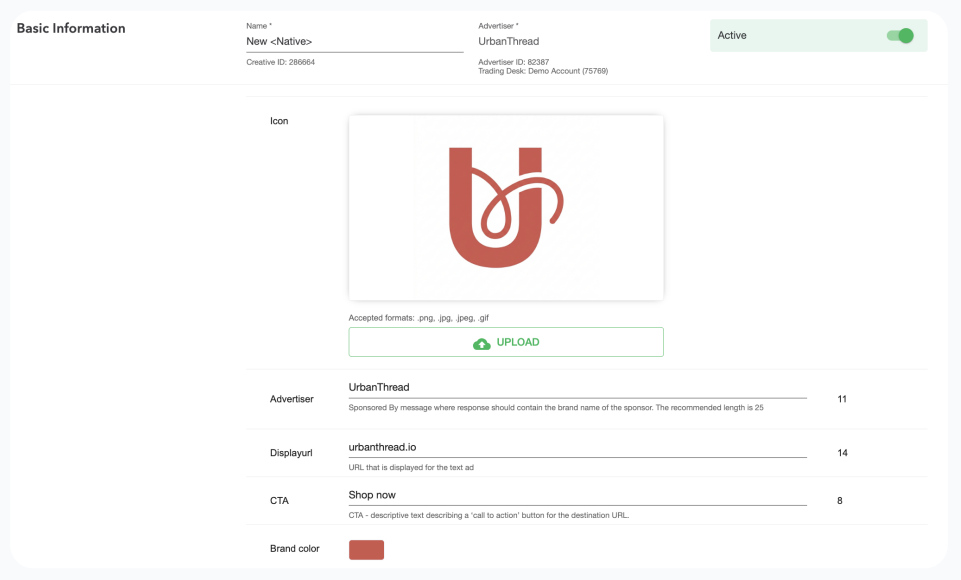
The central idea behind Native Builder is simple: advertisers should not need to rebuild the same message for every ad size. With Native Builder, advertisers can create an adaptable ad item from a single set of core assets:
- Main image, GIF, or video
- Brand logo
- Title
- Description
- Advertiser name
- Domain
- CTA button text
- Brand color
- Destination URL
- Third-party tracking tags
Once these elements are added, the platform automatically reformats the ad to fit selected standard display sizes. This means advertisers can launch native-style ads across standard display placements without depending only on dedicated native ad units. The campaign can access broader inventory while still preserving a clean, content-friendly ad appearance.
Native Look, Display Scale
 Native formats are attractive because they often feel more integrated into the content experience. They can look cleaner than traditional banners and may drive stronger engagement when the message, image, and CTA are presented in a more contextual layout. But native reach is often constrained by the number of publishers or placements that support native inventory directly.
Native Builder removes this limitation by bringing native-style formatting into standard display environments. Advertisers can use standard display inventory while presenting the message in a more structured, native-like format: image or video, headline, description, logo, brand name, domain, and CTA.
This gives advertisers the best of both sides: The scale of display inventory combined with the cleaner presentation of native-style advertising. For campaigns where advertisers want stronger CTR potential but do not want to sacrifice reach, this is the main value proposition..
Faster Launches and Lower Production Costs
Creative production is one of the most underestimated costs in digital advertising. A campaign may have a fixed media budget, but the operational cost of producing, resizing, reviewing, approving, and replacing multiple creative versions can be significant.
This is especially true for agencies and advertisers managing many campaigns, promotions, products, markets, or clients at the same time.
Native Builder reduces this workload. Instead of designing creatives for every placement size, teams can prepare one strong visual asset, write the core message, choose the required sizes, and preview how the ad will look across different formats.
This helps advertisers:
- Shorten campaign preparation time
- Reduce dependence on manual resizing
- Launch more campaigns with the same creative resources
- Test more placements without producing separate creatives
- React faster to short-term promotions and seasonal campaigns
For advertisers running frequent retail promotions, product launches, limited-time offers, or multi-market campaigns, this speed can directly improve campaign execution.
Built-In Fit and Fill Modes for Better Creative Rendering
One of the biggest risks with automated resizing is poor visual rendering. An asset that looks good in one format can be awkwardly cropped or stretched in another. Native Builder solves this with two resizing modes.
Fit Mode keeps the full asset visible inside the ad unit. If the image does not fill the entire available space, the system adds a smooth blurred background to preserve a polished look.
Fill Mode extends the visual content to fill the available placement area, creating a full-bleed effect where appropriate.
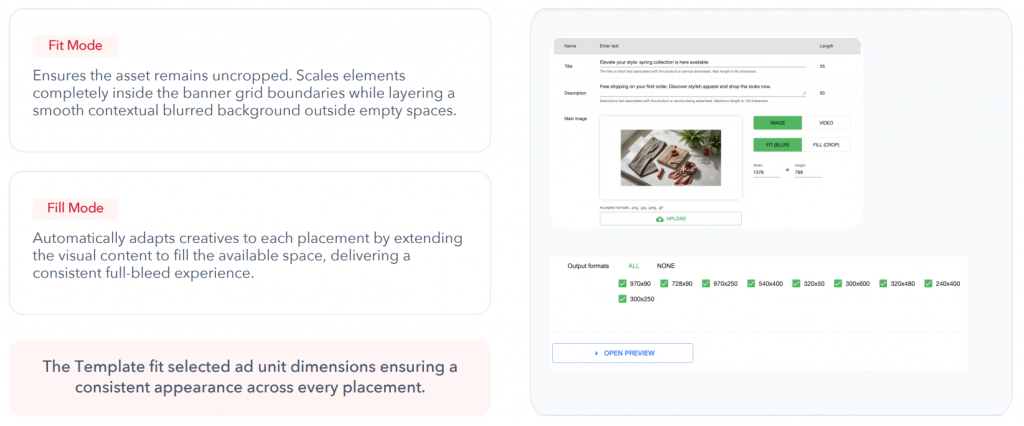
This gives advertisers flexibility depending on the asset and campaign objective. A product image may require Fit Mode to avoid cropping important details, while a lifestyle or brand image may work better in Fill Mode for stronger visual impact. For advertisers, this means fewer broken-looking creatives and a more consistent brand experience across devices and placements.
Live Preview Gives Advertisers More Control Before Launch
Native Builder also includes real-time preview functionality. As advertisers adjust the title, description, CTA, brand color, image, or video, they can immediately see how the creative renders across different selected sizes.
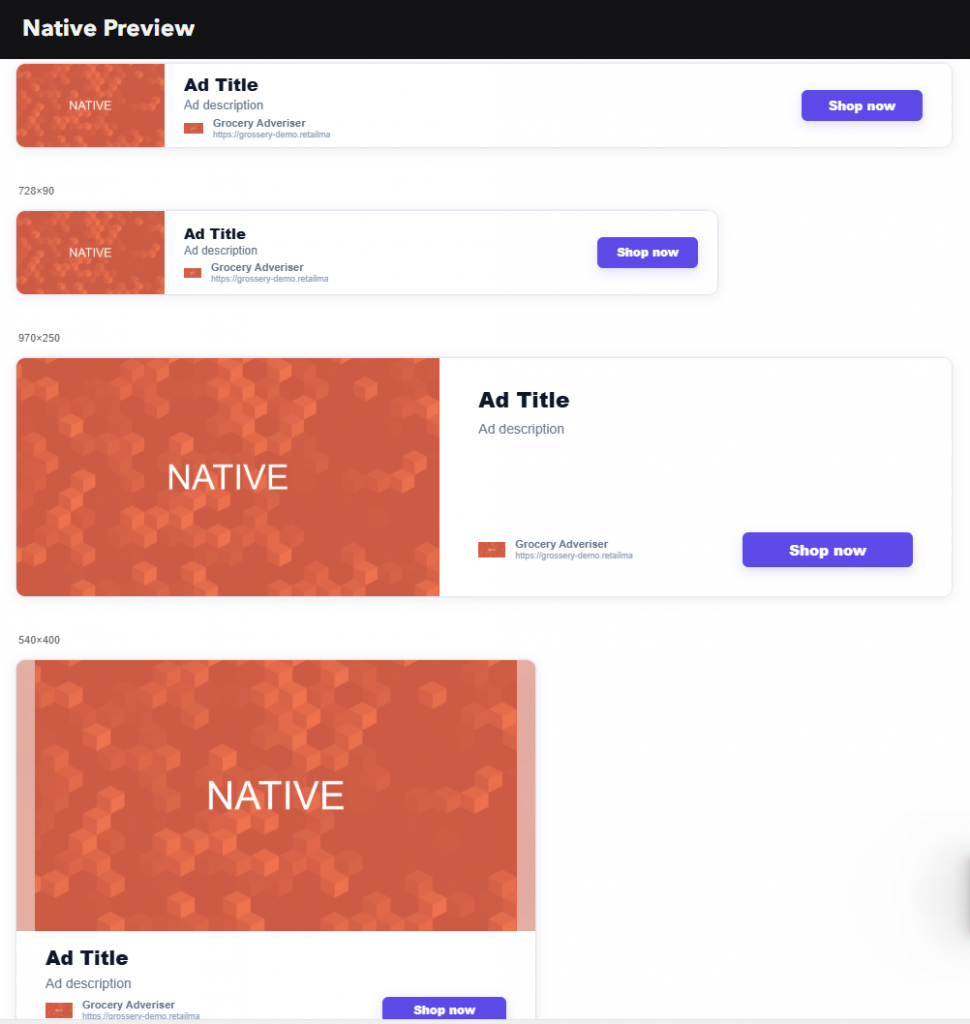
This is important because automated creative adaptation still needs human review. A headline that looks strong in a large format may be truncated in a smaller mobile size. A CTA color may work well in one layout but need stronger contrast in another. A product image may look perfect in a square format but need adjustment for a wide banner.
Live preview helps teams catch these issues before launch. It also makes collaboration easier between media buyers, designers, account managers, and clients. Everyone can see how the campaign will appear across formats without waiting for separate design exports.
Video Campaigns With VAST Tracking
Native Builder is not limited to static assets. It also supports GIFs and video. When a video asset is uploaded, the platform automatically applies standard VAST tracking. This allows advertisers to measure key video engagement events, including video start, first quartile, midpoint, and complete view.
For advertisers, this opens up several useful scenarios. A retail brand can turn a short product video into a scalable display campaign. An automotive advertiser can promote a new model with a 15-second launch video. A travel brand can use short destination clips. A financial services company can test video explainers across larger display placements.
Instead of evaluating the campaign only by impressions or clicks, advertisers can understand whether users are actually engaging with the video asset. This makes Native Builder especially useful for awareness, consideration, and product launch campaigns where attention quality matters.
Post-Launch Optimization With Size Blocking
Launching across many ad sizes is useful because it maximizes initial reach. But not every size will perform equally. Some placements may deliver strong impressions but weak clicks. Some mobile sizes may generate visibility but no conversions. Some larger formats may drive stronger video completion, while smaller ones may fall short.
Native Builder includes a size-blocking optimization widget that gives advertisers more control after launch. Once a size starts receiving impressions, it becomes available in the widget and can be manually blocked if it underperforms.

This turns creative format optimization into an active part of campaign management. This is a practical performance feature that allows advertisers to optimize without rebuilding the creative or stopping the campaign.
Where Native Builder Creates the Most Value
Native Builder is especially useful for advertisers that need speed, scale, and flexibility.
E-Commerce and Retail Campaigns
Retailers and brands can use Native Builder for product promotions, seasonal sales, new arrivals, and limited-time offers. A single product image, strong headline, and clear CTA can be quickly adapted across display inventory. The main benefit is faster launch and better control over conversion-focused campaigns.
Product Launches
For automotive, electronics, telecom, finance, travel, and consumer goods brands, Native Builder can support campaign launches where one central visual or video asset needs to be distributed across many placements. The main benefit is broader reach without producing a full set of custom banners.
Video Awareness Campaigns
Brands with short video assets can activate them across display placements and measure engagement through VAST events. The main benefit is scalable video distribution with measurable retention and completion signals.
Native Builder for Agency Campaign Management
Agencies managing multiple clients and campaigns can reduce production workload, simplify approval cycles, and launch faster across local and marketplace inventory. The main benefit is operational efficiency and better use of creative resources.
Best Practices for Advertisers
To get the strongest results from Native Builder, advertisers should follow a few creative guidelines.
- Use a 16:9 or 1:1 main asset. These ratios provide the best baseline for automated adaptation across different display sizes.
- Avoid burned-in text inside the image or video. The template already generates the title and description from text inputs, so adding text directly into the image can create overlap or readability issues.
- Keep the main visual subject centered. This helps protect important product or brand elements when the asset is adapted to different layouts.
- Front-load the most important message. Smaller placements may truncate longer headlines, so the key offer or brand message should appear in the first part of the title.
- Use a clear, action-oriented CTA. Short CTAs such as “Shop Now,” “Learn More,” “Book Now,” or “Apply Here” are easier to read and more effective across compact formats.
- Choose a high-contrast brand color. Since the brand color is used for the CTA button, it should remain visible and readable across different creative layouts.
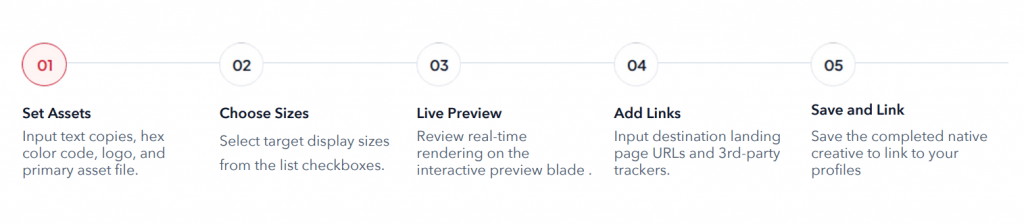
Ready to launch? Simple step-by-step workflow
Native Builder is already available in the Trading Desks across Admixer products: DSP, Platform, Ad Network, Agency Tech Stack. To try it, go to:
Trading Desk → Creative Studio → Native
Upload your core assets, select the required sizes, and test it in your next campaign.
Native Builder gives advertisers a practical way to simplify creative execution without limiting campaign reach. The business result is clear: faster launches, lower production costs, broader reach, stronger creative consistency, and better control over campaign performance.
Contact us for more information and demo.