
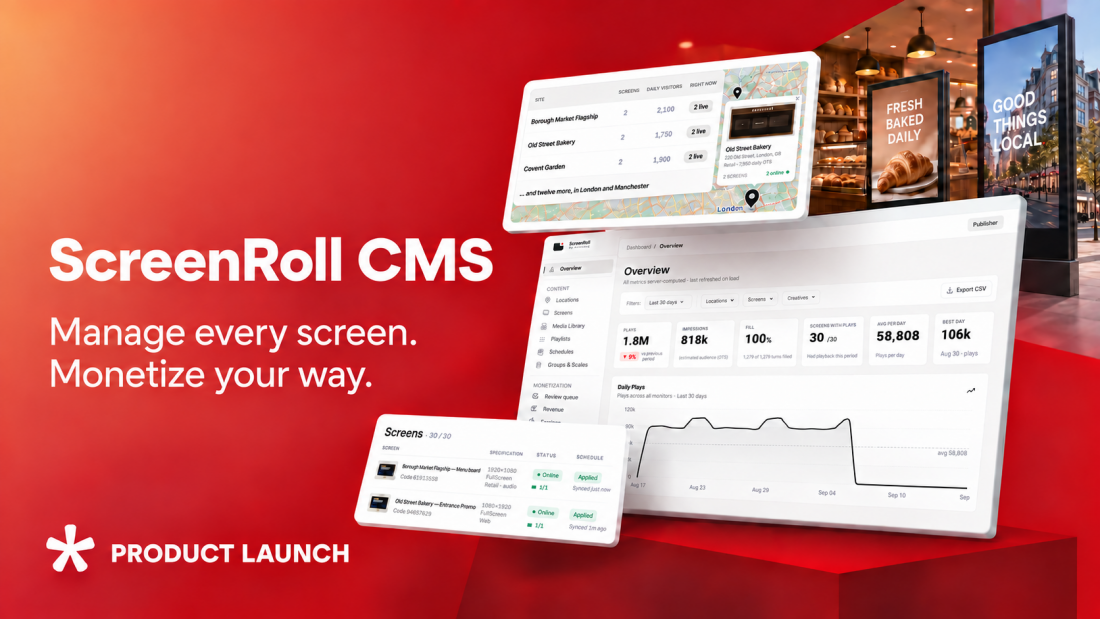
Introducing ScreenRoll: a cross-platform digital screen CMS with built-in DOOH monetization capabilities
ScreenRoll CMS gives businesses a single platform for managing content across distributed indoor and outdoor screen networks, as well as the freedom to monetize selected airtime through native Admixer advertising technology, their existing ad server, or third-party DOOH platforms.
- Digital signage is exploding, but operations lag
- Why we created ScreenRoll
- How ScreenRoll CMS works
- Who ScreenRoll CMS is for
- Main advantages of ScreenRoll CMS
- Cross-platform screen management
- Reliable playback and remote diagnostics
- High‑volume operations made simple
- Open and flexible advertising integration
- Creative oversight and reliable measurement
- From setup to first playback in minutes
Digital signage is exploding, but operations lag
Digital screens now power communication in retail, transport, hospitality, healthcare, fitness, corporate environments and outdoor spaces. Yet running a distributed network is often far more complicated than it should be.
Different hardware and operating systems create inconsistency. Content must be updated across locations, formats and schedules. Technical teams need real‑time visibility into whether screens are online and showing the right content. Connectivity issues disrupt playback, and using separate systems for content and advertising adds extra work.
Monetization adds further challenges. Many screen owners have strong audience reach but lack the infrastructure to turn it into a scalable media channel. They need to blend their own content with supplier messaging, direct ads and programmatic demand, while keeping full control over what appears in their venues.
Why we created ScreenRoll
Traditional digital-signage platforms primarily solve content distribution. Professional DOOH systems can require specialist knowledge, complex integrations and an established advertising operation. ScreenRoll is designed to close this gap.
Admixer already provides technology for managing advertising operations on indoor and outdoor digital screens, including direct campaign management and programmatic monetization. ScreenRoll CMS complements this advertising infrastructure with the missing execution layer: the screens themselves.
It connects content, locations, schedules and playback with the solutions responsible for selling and managing advertising. As a result, businesses can start with simple digital-signage management and implement monetization once their network and commercial strategy are ready for it.
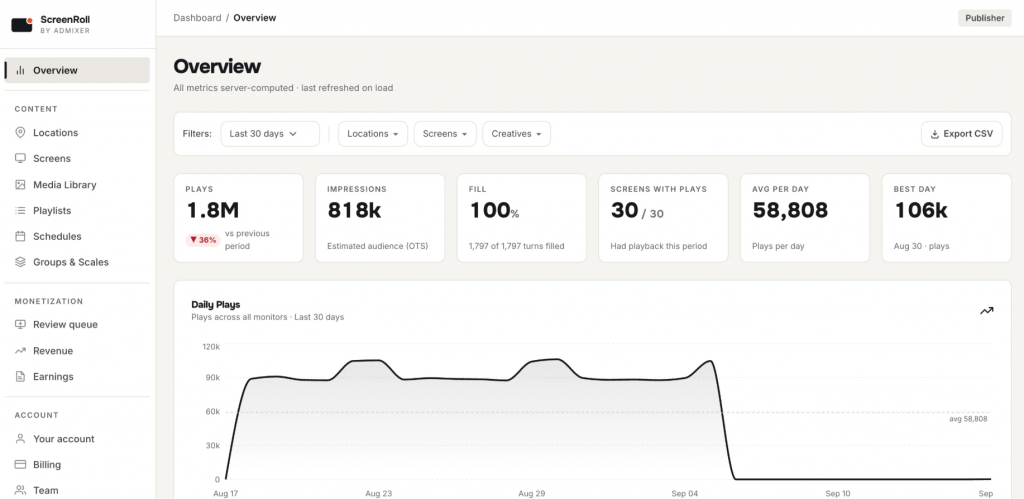
How ScreenRoll CMS works
ScreenRoll’s core workflow is intentionally simple:
1. Add Media
Upload the content you want to display, including images, video, audio, HTML5 materials and other supported formats. Advertising slots can be added alongside regular content, allowing the same screen to carry business information, promotions, partner campaigns and paid advertising.
2. Build playlists
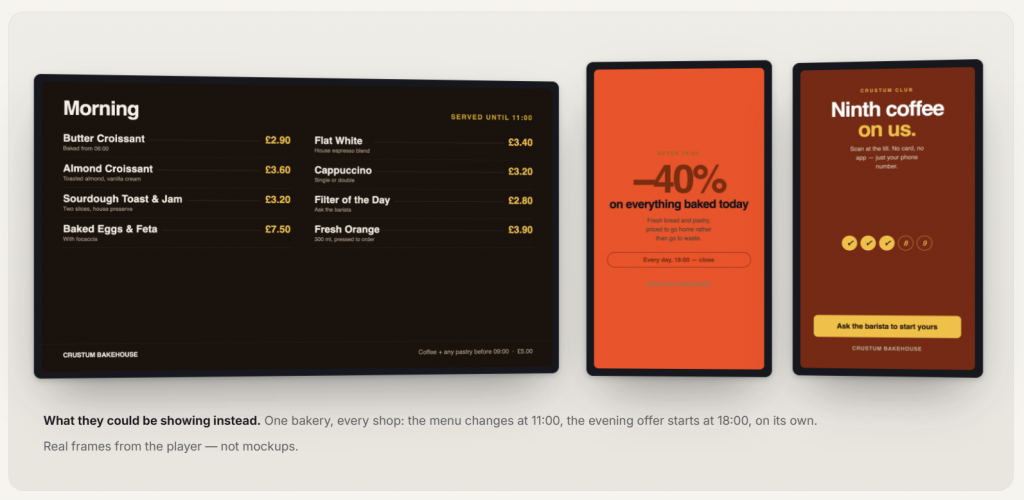
Arrange media into playlists and control the duration and sequence of each item. A playlist can combine several types of content:
- The screen owner’s promotional or informational materials
- Supplier or partner campaigns
- Direct advertising
- Programmatic advertising
- Fallback content for advertising slots that are not filled
3. Create schedules
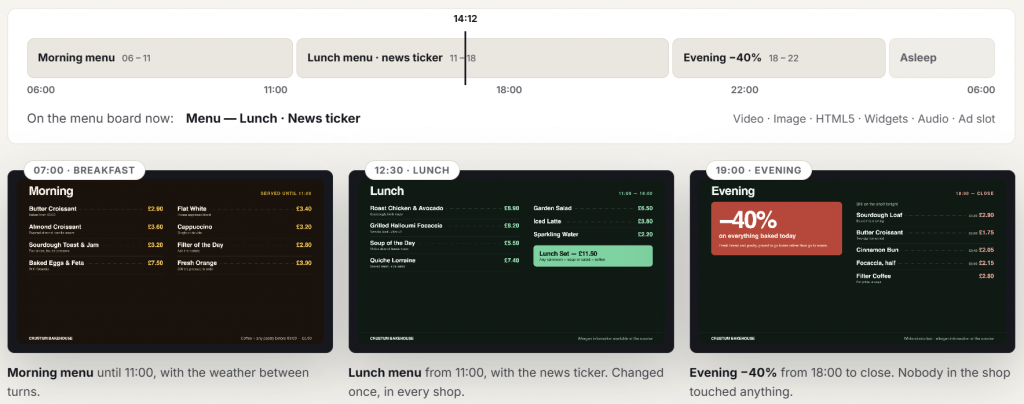
Define where and when each playlist should run. Schedules can be assigned to an individual screen, a selected group or an entire network. This makes it possible to manage national campaigns centrally while retaining local schedules for particular venues or screens.
4. Publish to screens
Connect a screen using a pairing code, assign the relevant schedule and start playback. Once connected, the screen reports its status and playback activity to ScreenRoll. Content is cached locally so playback can continue during temporary connectivity interruptions.
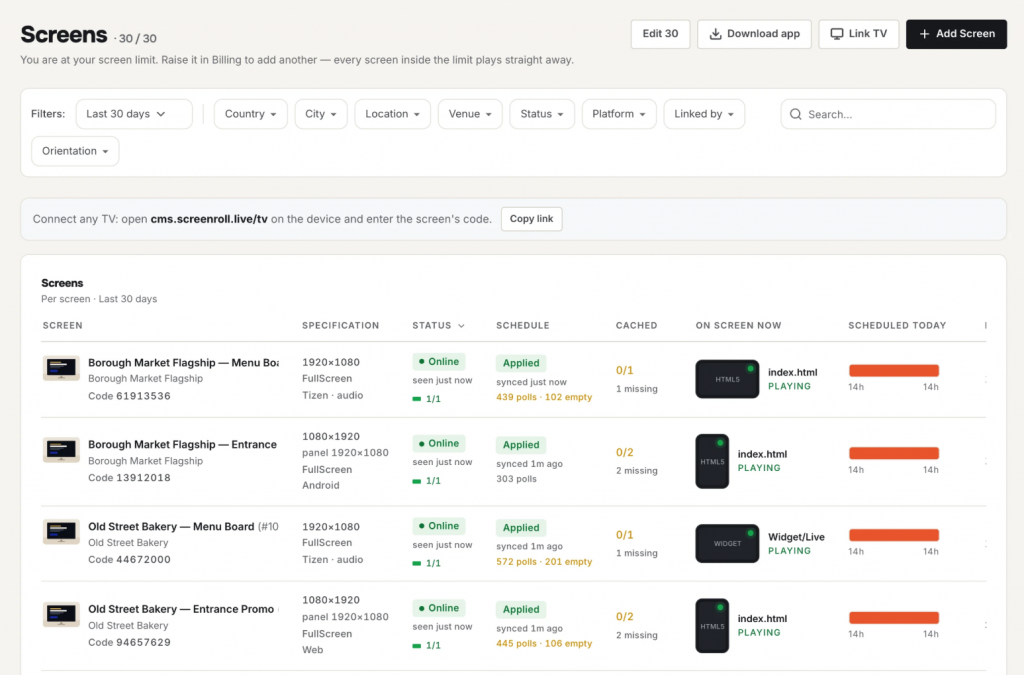
If monetization is enabled, an advertising slot requests an eligible campaign from the selected advertising source. ScreenRoll applies the owner’s approval and category policies, plays an approved ad or fallback content, and returns playback events for reporting.
Who ScreenRoll CMS is for
ScreenRoll is designed for businesses that operate distributed screens for communication, promotion, customer experience or advertising. This includes:
- Retailers and supermarkets managing promotions, prices, navigation and in-store retail media
- Shopping malls combining wayfinding, tenant communication and advertising
- Hotels and hospitality groups displaying guest information, venue promotions and partner campaigns
- Gyms and wellness networks managing classes, membership offers and relevant brand advertising
- Healthcare providers distributing patient information and controlled venue-appropriate content
- Transportation and ride-hailing operators delivering passenger information, entertainment and location-aware advertising
- Corporate networks managing internal communications across offices and facilities
- DOOH and place-based media operators running direct and programmatic advertising across distributed inventory
- Advertising networks managing screens belonging to multiple publishers or venue owners
Main advantages of ScreenRoll CMS
Cross-platform screen management
ScreenRoll is built for mixed screen estates. It supports multiple player environments, including Samsung Tizen, Android, Windows, Linux, macOS and browser-based playback. Businesses can manage screens from different manufacturers and deployment periods without separating them into several CMS platforms.
This reduces hardware dependency and gives screen owners greater flexibility when expanding or modernizing their networks.
Reliable playback and remote diagnostics
Commercial screen networks must continue operating even when local connectivity is unstable. ScreenRoll caches media and schedules locally and supports offline playback for up to seven days. If a connection is interrupted, scheduled content continues to play. Missing or damaged files can be skipped, and fallback content can replace unavailable advertising.
The platform also provides live screen status, online and offline notifications, playback metrics and remote diagnostics. Technical teams can identify a problem without immediately travelling to the screen’s physical location.
High‑volume operations made simple
Managing hundreds of screens should not mean editing hundreds of records individually. ScreenRoll provides consistent filtering across publishers, locations, screens, media, playlists, schedules and groups. Context-aware filters show only combinations that correspond to available records, helping operators find the exact subset they need.
The resulting selection can then be updated in bulk. For example, an operator can select locations in a particular country, narrow the list by publisher or venue type, and correct the classification across the entire selection in one action.
Open and flexible advertising integration
The platform supports established advertising technologies and standards, including:
- VAST-compatible advertising delivery
- OpenRTB auctions
- Multi-size advertising slots
- Wrapper redirects
- Impression and video-quartile tracking
- OpenOOH venue classification
- Opportunity-to-see audience data
- Render-confirmed playback events
Each location can be classified using the hierarchical OpenOOH venue taxonomy, helping advertising platforms and buyers understand where a screen is located and how its inventory should be targeted. ScreenRoll can use the screen’s native resolution for an advertising opportunity or send several supported creative sizes in one request. This gives connected advertising platforms a more accurate description of the available inventory.
Creative oversight and reliable measurement
Connecting advertising demand should not mean giving up control of the screen. ScreenRoll allows publishers to decide how advertising is approved:
- Review every creative
- Allow all eligible creatives
- Block selected advertising categories
- Accept only selected categories
Technical IAB content codes are translated into plain-language categories, including clear identification of sensitive content. Restrictions can be communicated before the advertising request, reducing wasted auctions for campaigns the publisher would never accept.
ScreenRoll also distinguishes between what the system verifies and what audience data estimates:
- A Play confirms that content was rendered
- An Impression is reported only when audience data supports the estimate
- An OTS multiplier describes the relationship between playback and potential audience exposure
This creates more credible reporting for screen owners, advertisers and auditors. For monetized networks, verified delivery can drive revenue growth and attract non-endemic advertisers.
From setup to first playback in minutes
ScreenRoll CMS is designed to reduce the technical work normally associated with deploying a digital-signage network. To connect a screen, the user launches the appropriate ScreenRoll player and receives a pairing code. The screen can then be added to an existing account, assigned to a location or group, and connected to a schedule.
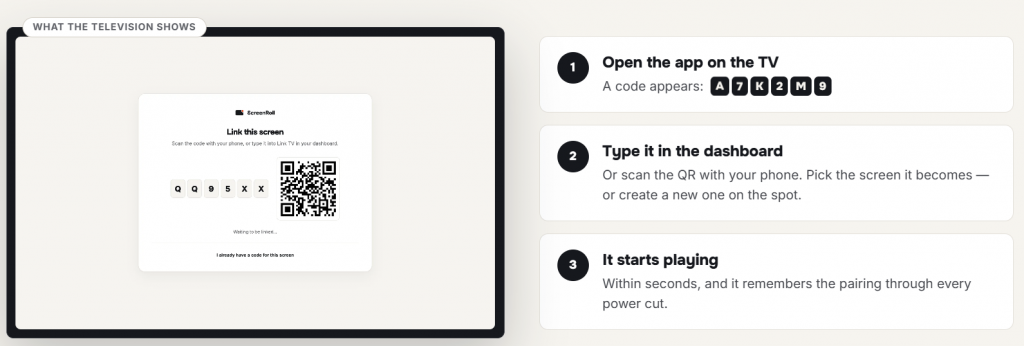
ScreenRoll automatically records important screen characteristics such as resolution and orientation. Once paired, the screen becomes visible in the dashboard and can begin receiving content.
No advertising integration is required to start. Customers can initially use ScreenRoll CMS purely for content management and enable monetization only for selected screens, playlists or time periods later.
Register your first screen for free and explore ScreenRoll CMS.
If you are looking for an ad-tech solution to monetize your Commerce Media assets, including digital screens – consider the Admixer RMM platform, which enables cross-channel ad management.