Admixer Ad Platform Updates (October 2026)
This month brings a set of powerful improvements designed to give advertisers more control over performance, transparency in delivery, and flexibility in campaign setup. The most significant update to the Admixer Ad Platform’s functionality is the shift from manual campaign fine-tuning and optimization to automated strategies. It helps align media buying with campaign objectives, while expanded budget and no-bid reporting make it easier to understand spending and identify delivery constraints. Additional changes bring more precise rewarded video targeting, easier zone data exports, and better visibility into creative uploads.
Campaign Bidding Strategies
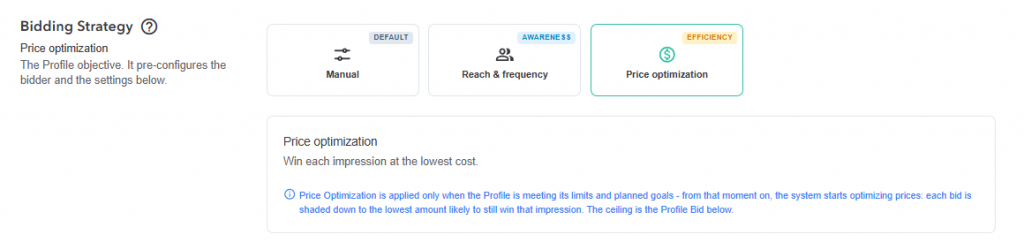
The new Bidding Strategy block brings goal-based bid management to campaign profiles. Advertisers can retain manual control or choose a strategy that adjusts bidding to support their campaign objectives.
The available options include:
Manual: Maintain full control over your bid using the existing approach.
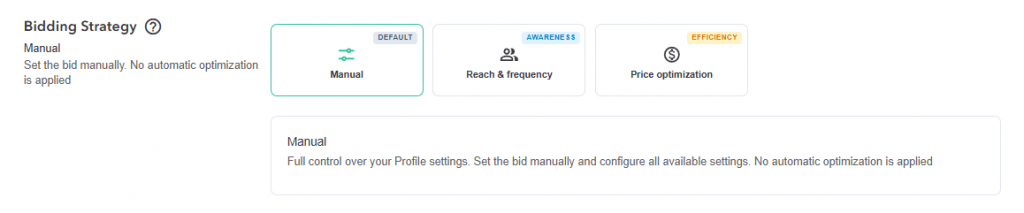
Reach & Frequency: Work toward showing each unique user an ad the target number of times. This helps distribute exposure more consistently across the audience and reduces the imbalance between users who receive too few impressions and those who see the ad too often.
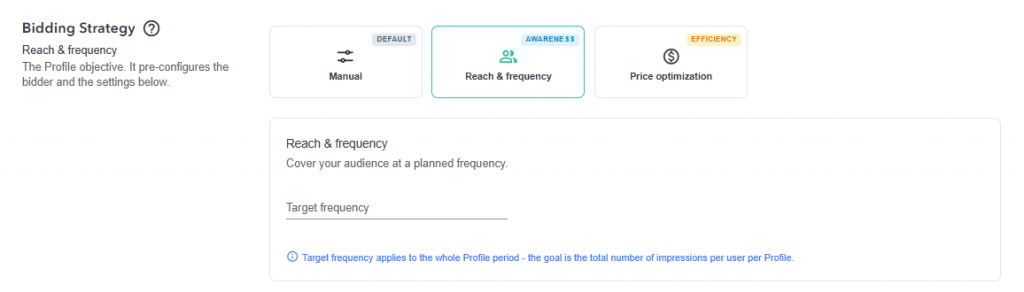
Price Optimization: Automatically adjust bids downward through bid shading, aiming to win impressions at a lower cost. This is particularly useful in first-price auctions, where reducing unnecessary overbidding can help the campaign budget go further.
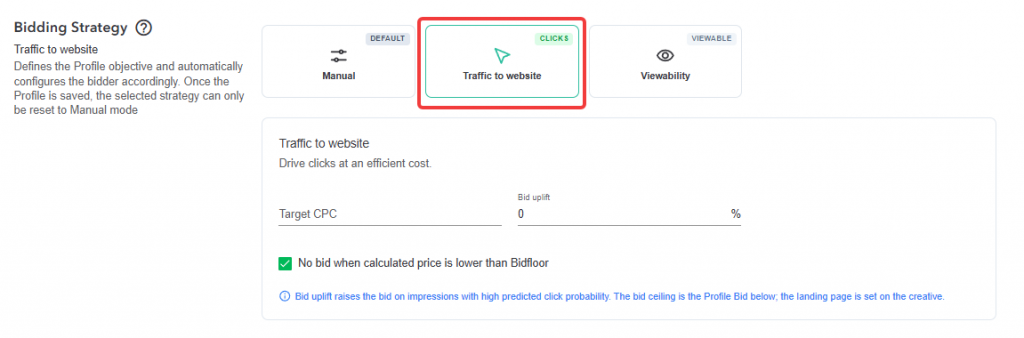
Traffic to website: Set a target price per click, and the system adjusts each impression bid according to the predicted likelihood of a click. An optional bid uplift allows more aggressive bidding on opportunities with stronger click potential.
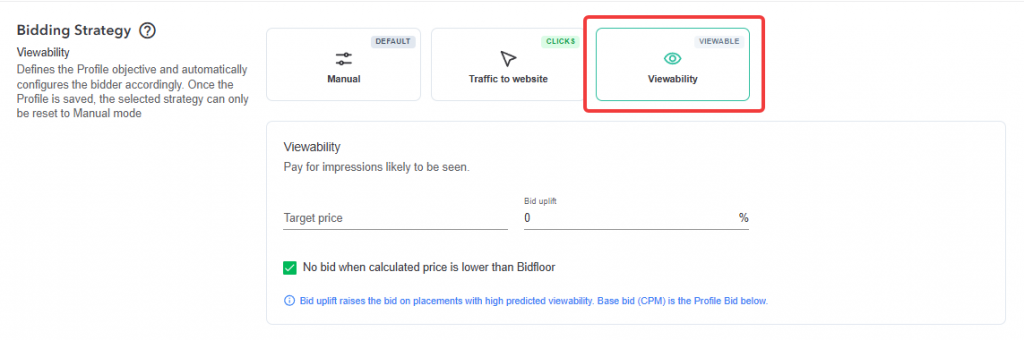
Viewability: Set a target price and prioritize opportunities with higher predicted viewability. The system raises bids for placements where ads are more likely to be seen, helping direct spending toward visible impressions.
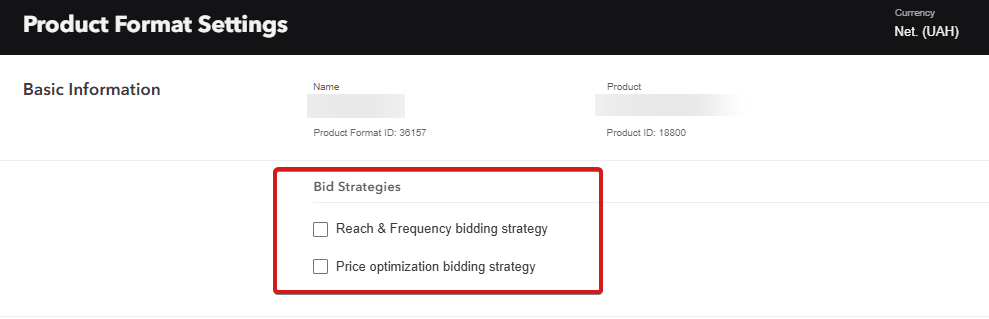
These strategies give advertisers a more consistent way to connect bidding decisions with campaign goals and reduce the need for manual bid adjustments across individual opportunities. To make strategies available, enable them at the Product Format level. Once enabled, they become available on all profiles that use this Product Format. This mechanism makes it possible to set different bidding strategies for different inventory packages.
Budget Distribution Control
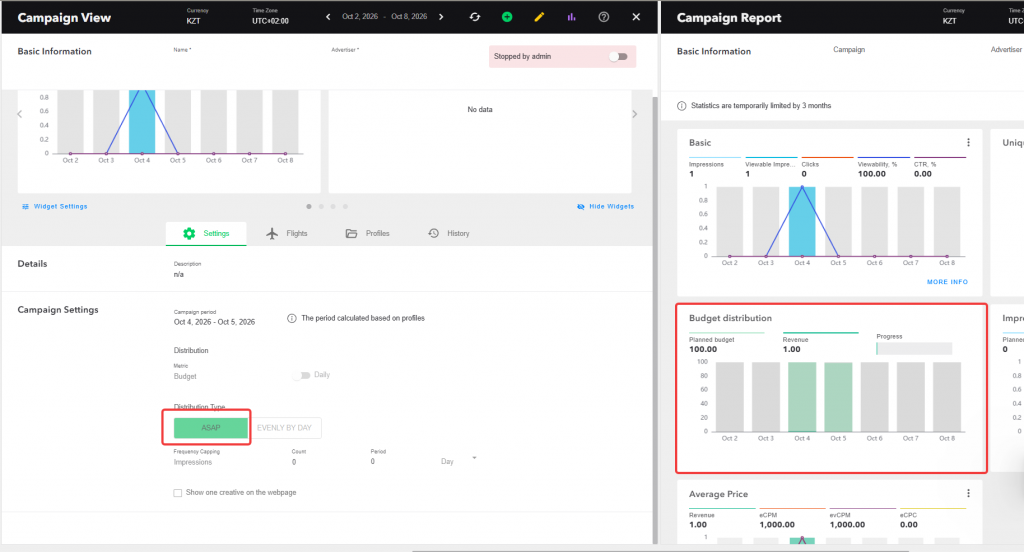
The Budget Distribution widget now supports ASAP profiles alongside profiles with even budget distribution. For ASAP delivery, it displays spending on previous days and the budget planned for today, calculated as the total budget minus the amount already spent. The plan is recalculated daily, giving advertisers a clearer view of delivered spend and the remaining budget available for delivery.
Clearer No-Bid Reasons Reporting
The No-Bid Reasons (NBR) widget now lists reasons in the order in which the platform performs its checks. This makes it easier to identify the stage at which opportunities are filtered out and understand which conditions are limiting delivery.
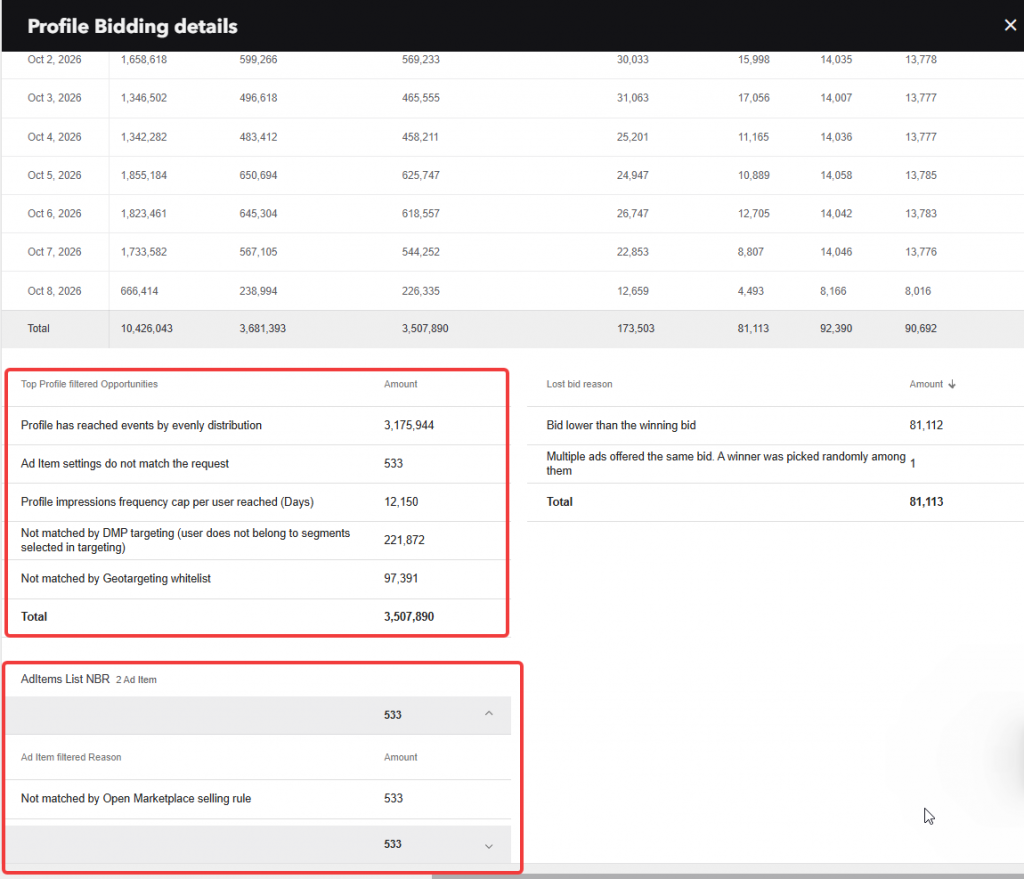
Advertisers can also inspect no-bid reasons for individual Ad Item within the same profile. Each Ad Item expands to show its reasons, counts, and total filtered opportunities. Used together, these views help campaign managers connect budget delivery with bidding eligibility, investigate under delivery, and make more informed adjustments to campaign settings.
Rewarded Video Placement Targeting
Rewarded video targeting now includes Playback Method selection. When choosing Rewarded as the video placement type, advertisers can also specify how the video should start, including autoplay with sound, autoplay without sound, click-to-play, and other supported methods.
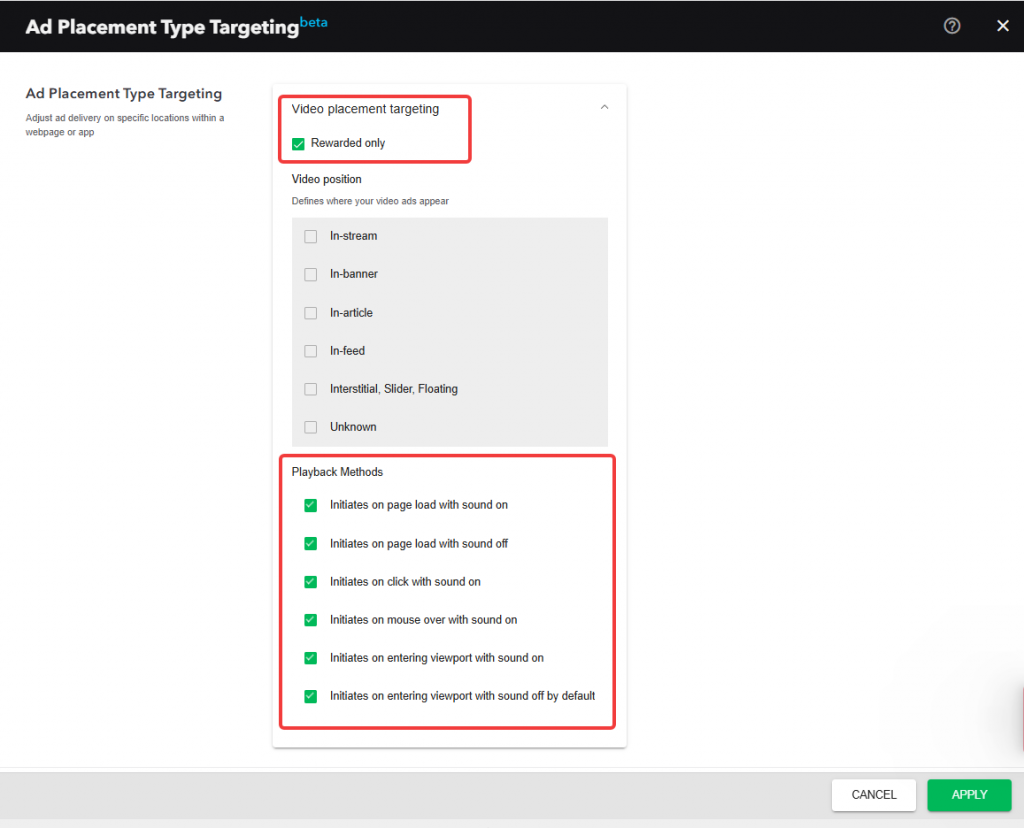
This additional control helps match inventory to the creative and its intended viewing experience. A campaign built around audio can target an appropriate playback environment, while a creative designed for user-initiated viewing can focus on click-to-play placements.
Improvements in Everyday Campaign Management
Several smaller updates make routine setup, review, and reporting tasks easier.
Export zone selections and statistics
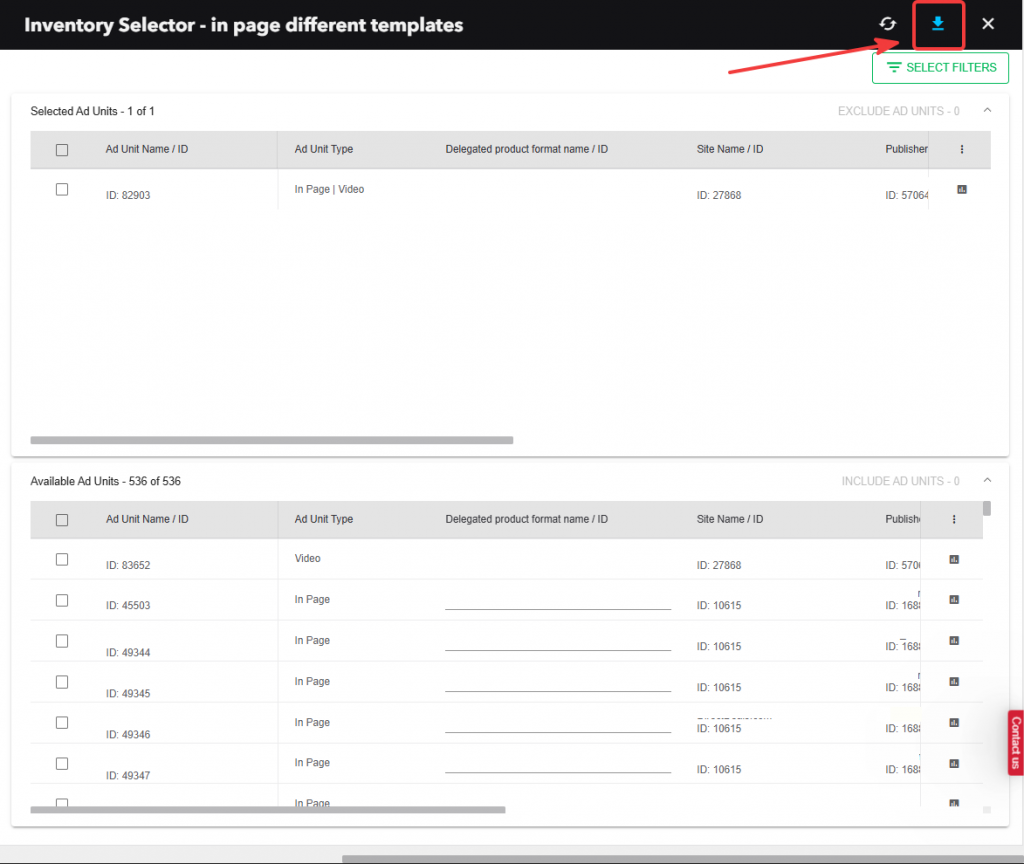
The Product Format Zone selector now supports exports to Excel (XLS), CSV, and JSON. Files include selected and available units, selection status, separate ID columns, and the statistics shown in the table. Active filters are preserved, and selected units appear first, making it easier to review inventory choices and work with the data outside the platform.
Follow creative uploads with greater confidence
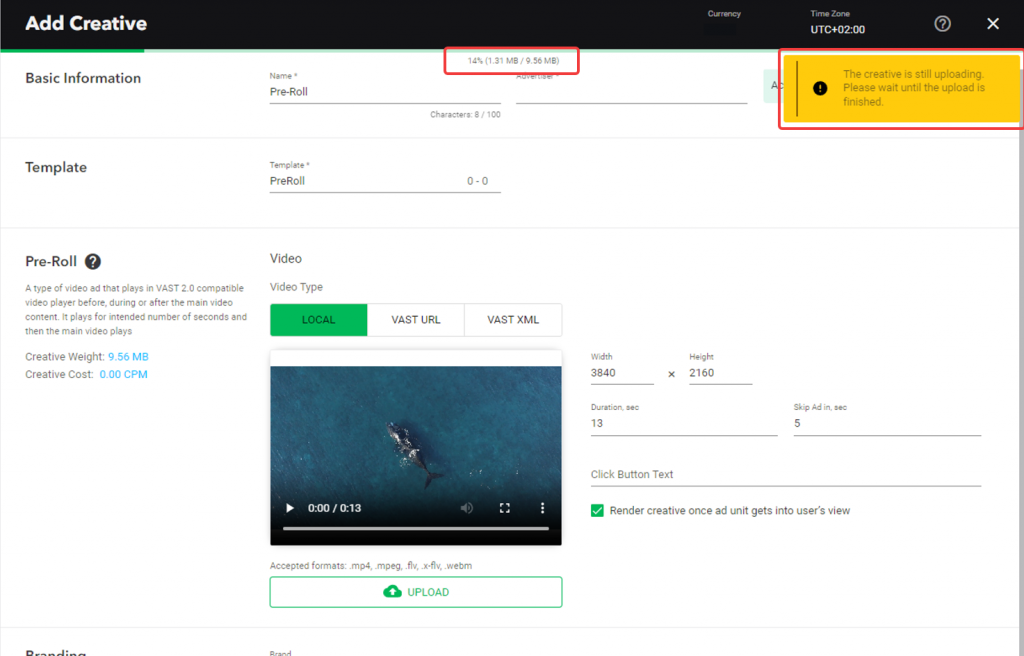
Uploads now display progress as a percentage alongside file-size information. A warning also helps prevent accidental page closure or refresh while an upload is in progress. These changes make it easier to monitor larger uploads and avoid interruptions when adding several media files.
Review planned totals across profiles
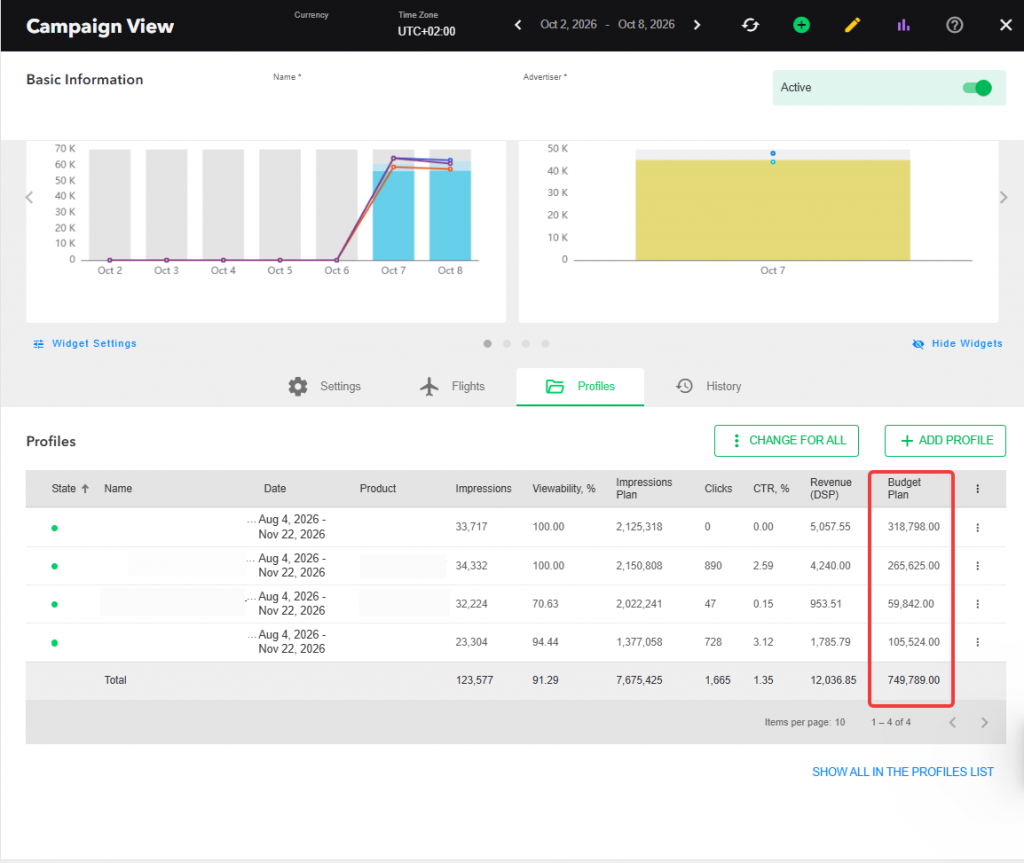
In Campaign View → Profiles, the Total row now sums the Budget plan and Impression plan columns. Teams can see aggregate planned values without adding up individual profiles manually. Unlimited plans are excluded; daily and period plans are included together in the totals.
If you are looking for an all-in-one solution for monetizing digital resources, as well as running programmatic campaigns across global SSPs and partners sources, Admixer Ad Platform is the best choice among advertising networks platforms.
Contact us for more information and demo.